

How to Register For Self Assessment as Self-Employed
Explore our article on 'how to register for self assessment as self-employed' simplify your tax responsibilities effectively.

Embarking on the journey of self-employment comes with responsibilities, and one crucial aspect is registering for Self-Assessment. This article provides a step-by-step guide to make the process easy, free, and secure.
Understanding Self Employed & Self-Assessment
Before diving into the registration process, it's essential to grasp the concept of Self-Assessment. When you're self-employed, you may have a team working with you, but the ultimate responsibility for the business and any associated losses rests on your shoulders.
Whether you sell goods, offer services, freelance, work as a contractor, service consultant, seasonal worker, coach, content creator, or any other role, the key point is that if your earnings exceed £1,000 and are not taxed at the source, you are required to register for Self-Assessment and fulfil the obligation of completing a tax return.
If you choose to, you have the option to register as self-employed even if your income is £1,000 or less. In such cases, you can either opt to pay voluntary Class 2 National Insurance or record any incurred losses.
Getting Started Online
To utilise HMRC online services, a Government Gateway account is required. If you don't have one, creating your sign-in details is a straightforward process.
Step 1: Creating Sign in Details
Click on the link to create Sign in Details: Sign in to your HMRC business tax account
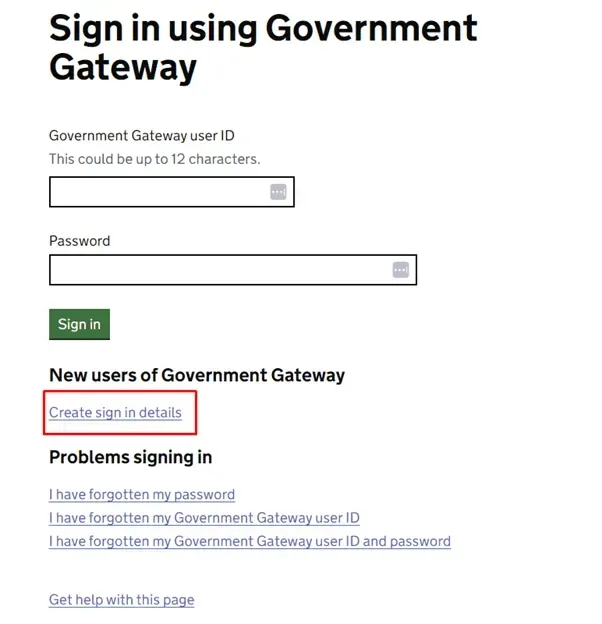
Step 2: Business Tax Account sign in
Once signed in using your Business Tax Account, select 'get online access to a tax duty or scheme'.
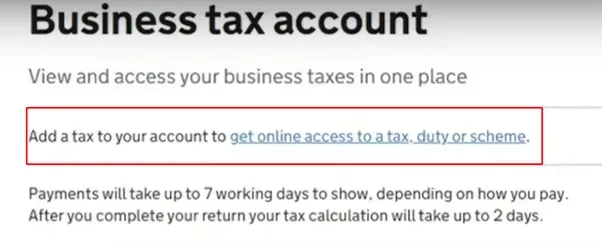
Step 3: Choosing the Self-Assessment Option
Choose the Self-Assessment option.
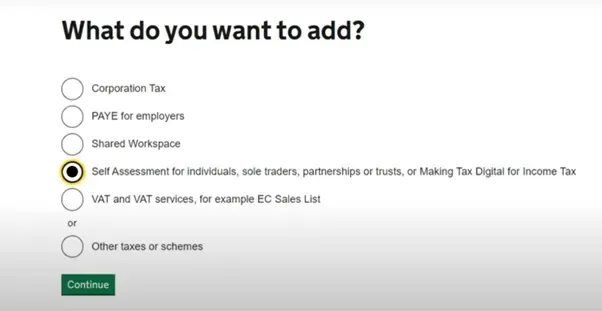
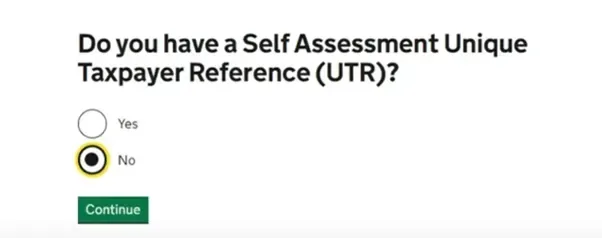
If you're registering for the first time, indicate 'No' when asked about a Unique Taxpayer Reference (UTR).
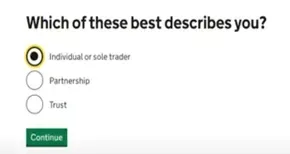
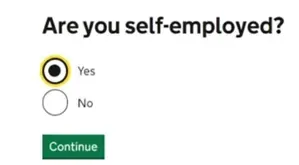
Describe yourself as an 'Individual or Sole Trader' and confirm your self-employed status.
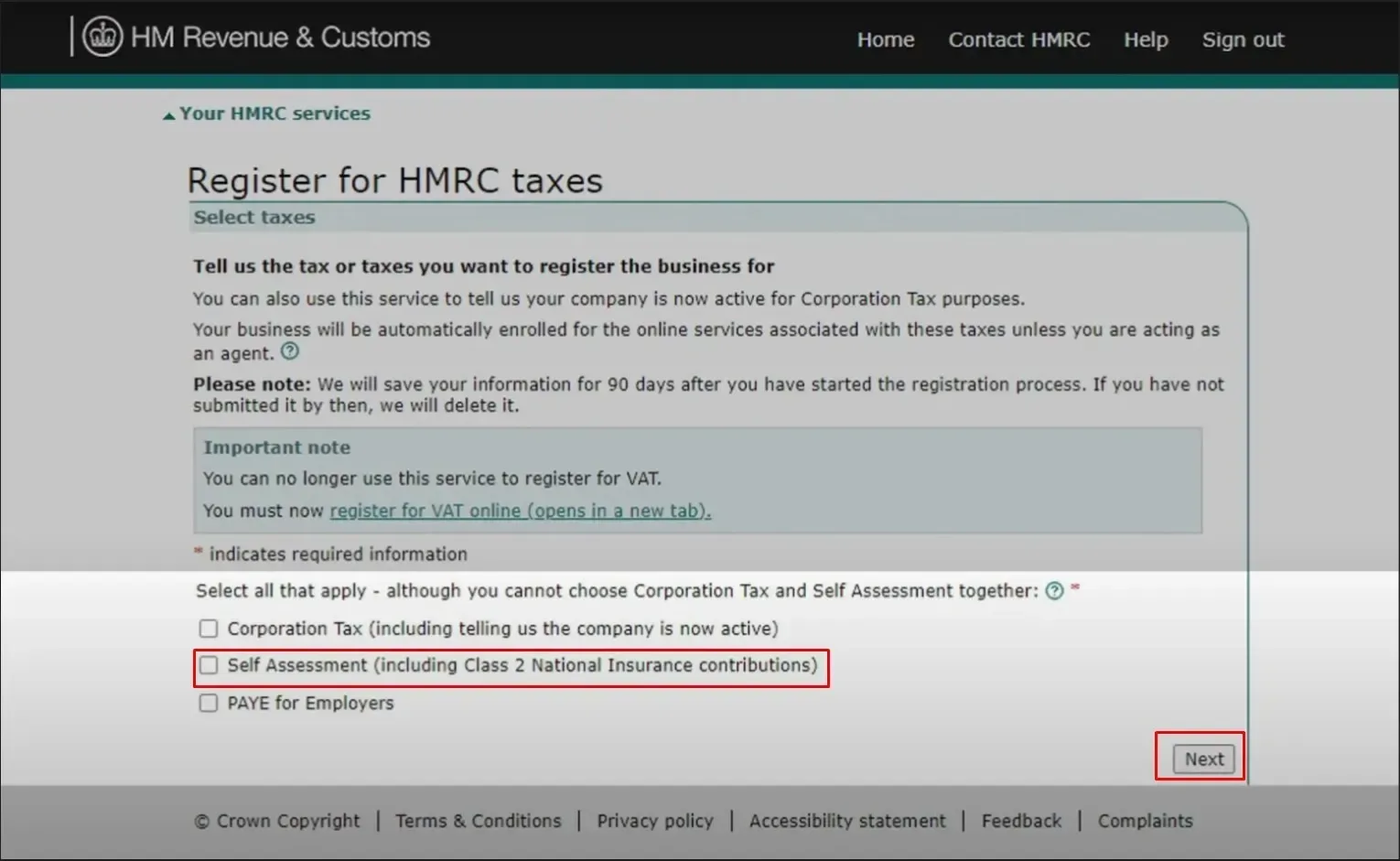
Then check the Self-Assessment Box and choose next. Click on Self-employed/Sole Trader/Sole Proprietor.
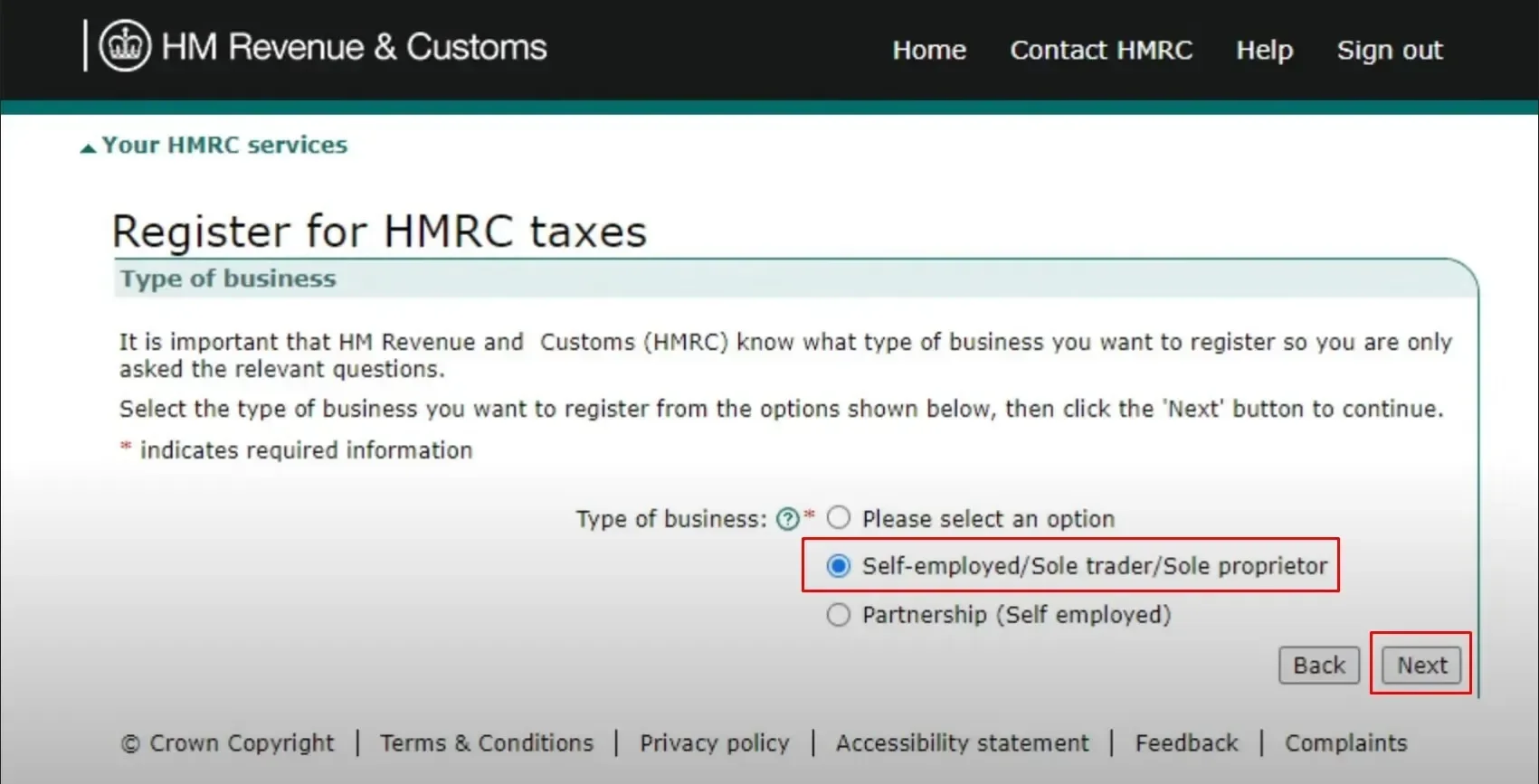
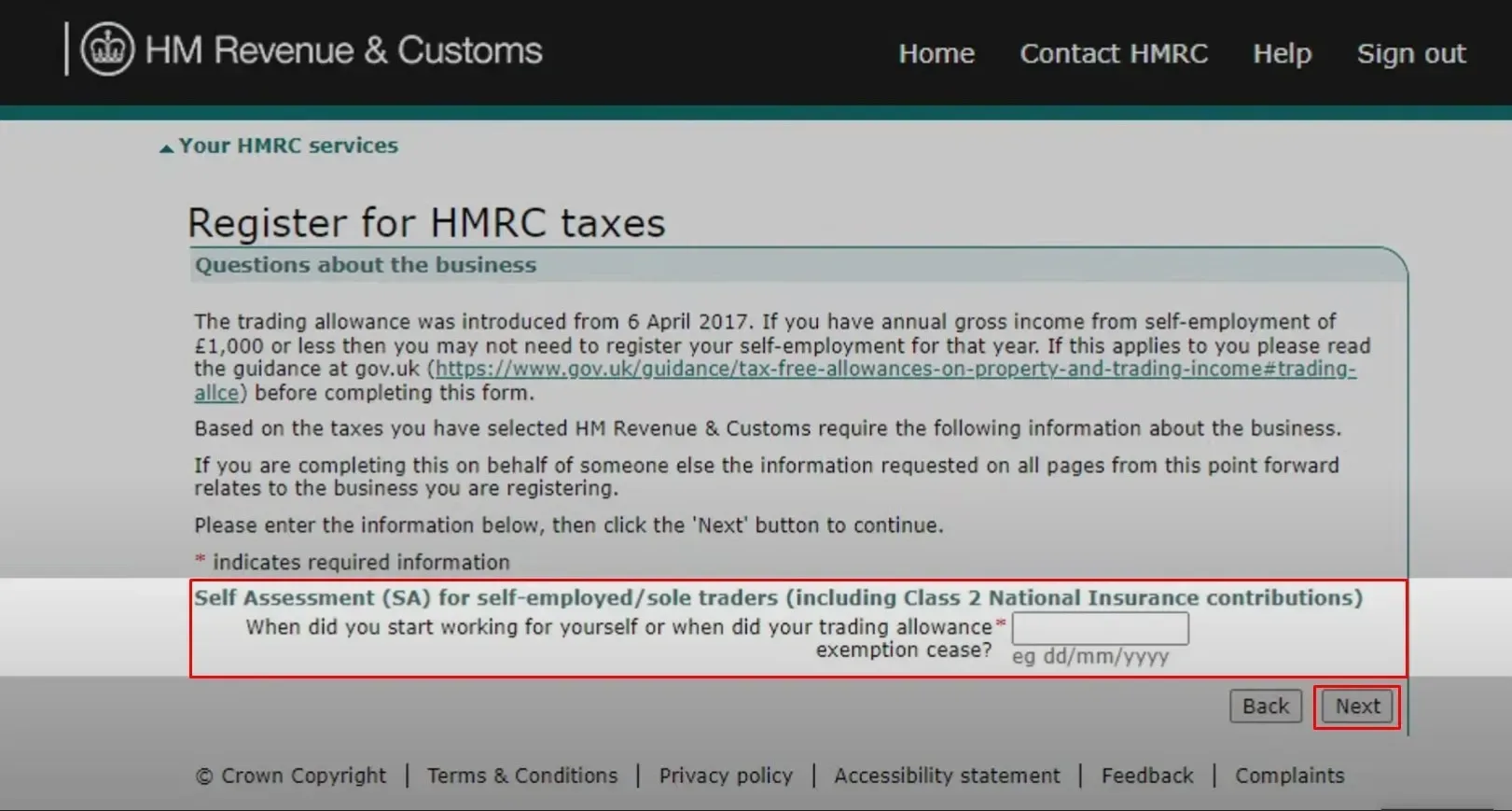
Step 4: Enter the Date you become Self-employed
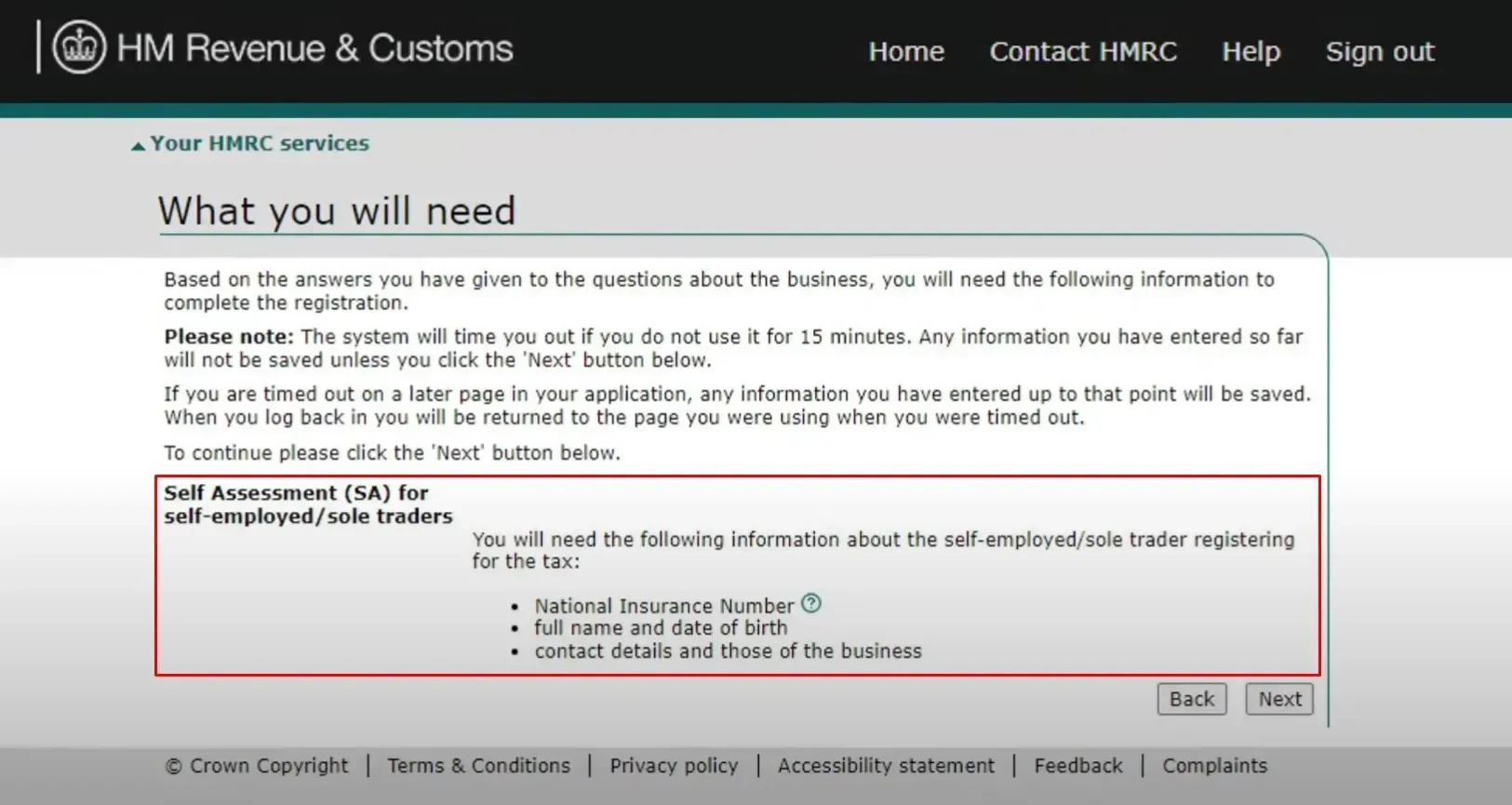
We need to enter the date you become self-employed. You need the following information as well:
- National Insurance Number
- Full Name and Date of Birth
- Contact Details
Step 5: Fill Personal Information and Business Details for Registration
You can complete the registration yourselves or else someone on your behalf can complete your registration. Usually, a bookkeeper, accountant or tax agent will help you on this.
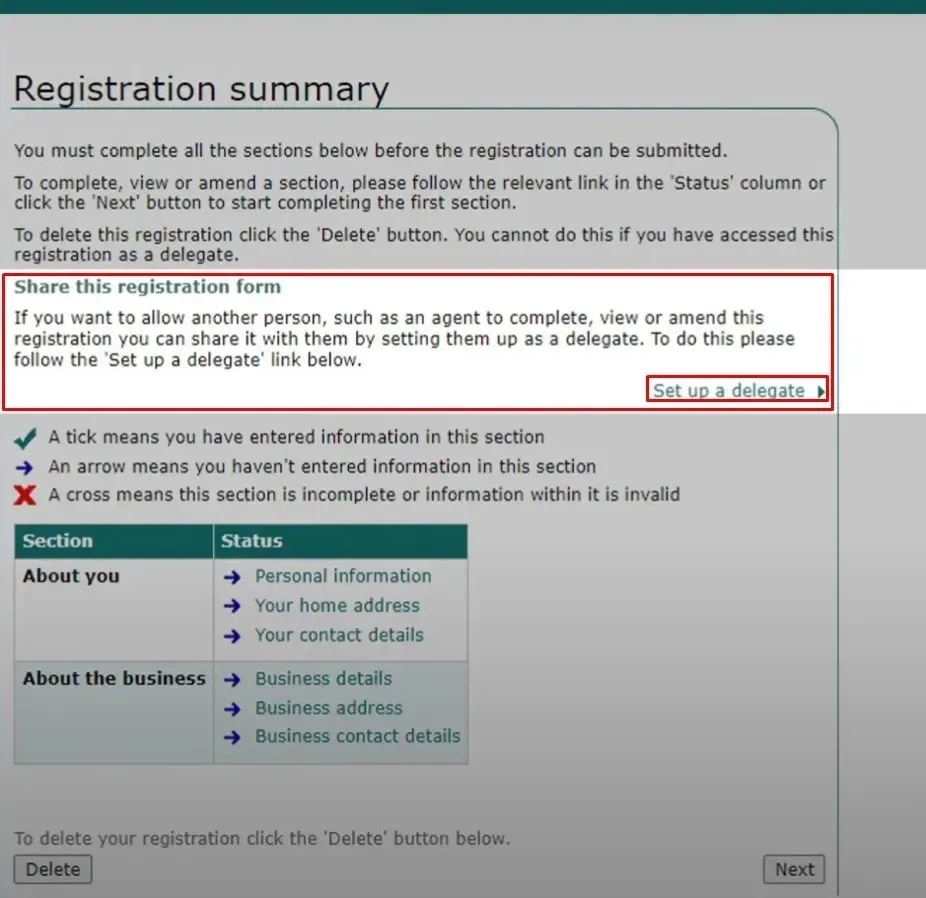
Following information is required for the registration:
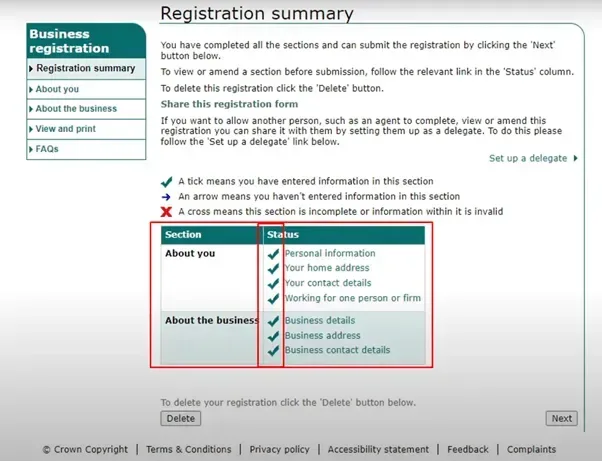
- You need to provide the personal information, your home address and your contact details.
- Further you need to provide the business details, its address and business contact details.
Step 6: Finalising Registration
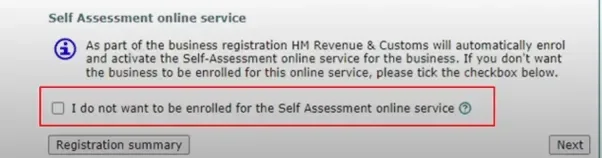
Review and ensure all sections are filled out, leaving the last box unticked for a simplified activation of the Self-Assessment online service.
Once you fill every section, the status will appear as ticked.
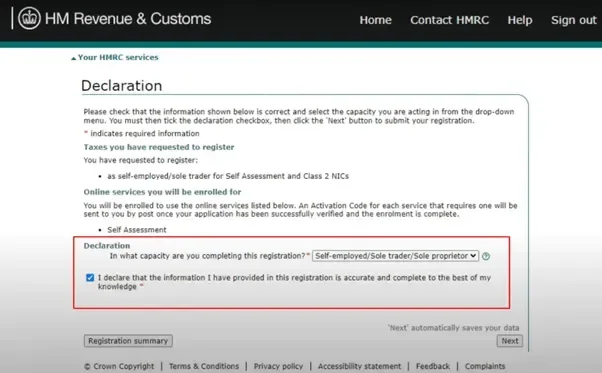
Confirm the accuracy of your details and submit your registration.
Unlock the process: Learn "How to Register for Self Assessment If You're Not Self-Employed". Dive into our article for deep insights.
Step 7: Confirmation
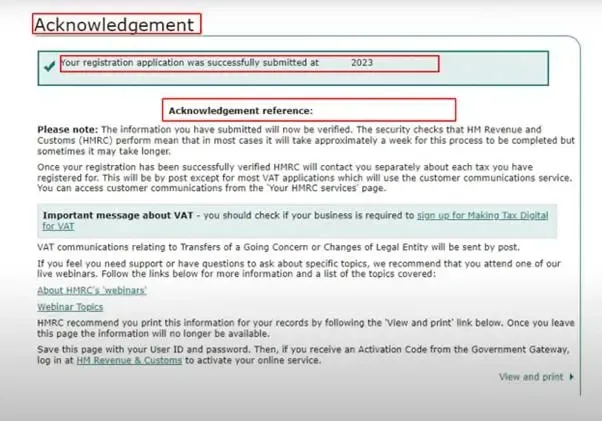
Upon completion, a confirmation page acknowledges your successful registration. HMRC will perform verification checks in the background.
Explore our comprehensive guide to "Self-Assessment Tax for UK landlords". Dive in for invaluable insights and answers to your FAQs.
Unique Taxpayer Reference Number
In 15 days (or 21 days for those residing abroad), you will be mailed a Unique Taxpayer Reference (UTR). For quicker access, you can retrieve it by logging into your online account or using the HMRC app.
Treat your UTR with care, as it is comparable to your National Insurance Contribution (NIC) number and will be a lifelong identifier essential for all future interactions related to your Self-Assessment.
Important Dates: Register by 5 October in the tax year following your self-employment start. Submit your tax return and pay any owed tax by 31 January, or earlier if possible.
From 6 April 2026, sole traders and landlords whose qualifying income from self-employment and property is more than £50,000 must also keep digital records and send quarterly updates to HMRC under Making Tax Digital for Income Tax.
For additional information, refer to our complete guide on Self-Assessment Tax Return. Registering for Self-Assessment is a crucial step toward fulfilling your tax obligations as a self-employed individual.
About the author
Sanjay Gautam, a seasoned Chartered Accountant, brings over seven years of experience in accounting, finance, and taxation. He has held notable roles at Credit Suisse, HSBC, and Fintech. His expertise in tax planning, compliance, and financial management are truly exceptional. Holds a Master's in Business Studies.
Introducing RentalBux: Our MTD Software for Landlords
Generic software doesn’t understand property businesses and requires manual intervention to meet deadlines. That’s why we developed RentalBux!
- Built by Property Experts
- Designed for UK Landlords
- HMRC Recognised and MTD Compliant
Confused Where To Start?
Schedule a Free 15-minute discovery call by providing your contact details, mentioning your requirements, and selecting a convenient date for the call.
How our discovery call works:
- Complete Our Contact Form
- Discovery Calls Scheduled
- Receive a Tailored Proposal