


How to Register for Self Assessment- If you are Not Self Employed
How to register for Self Assessment if you are not self-employed: eligibility check, Government Gateway sign-in, submitting the form, your UTR and key deadlines.

If you are not self-employed and require assistance with your tax return, this section provides guidance on registering for Self-Assessment on GOV.UK. The registration process is quick, taking only a few minutes, and it is both free and secure, eliminating the need for printing any forms.
Eligibility Check and Key Questions
Before you register, go to Check if you need to send a Self-Assessment Tax Return and answer brief set of questions determining your eligibility for Self-Assessment. You might see questions like below:
- Did you work for yourself between 6 April 2022 and 5 April 2023?
- Did you work as an ‘off-payroll worker’?
- Do you have a Student Loan?
- Did you get a Pension?
- Do you have any other form of income, apart from your State Pension?
- What was your total income for the year?
- Did any of your income come from UK property or land?
- Did you get more than £10,000 from dividends or savings and investments?
- Do you need to pay tax on any of the following?
- Do you need to pay any Capital Gains Tax?
- Did you hold a position that affects how you are taxed?
Mandatory Compliance with HMRC Requests
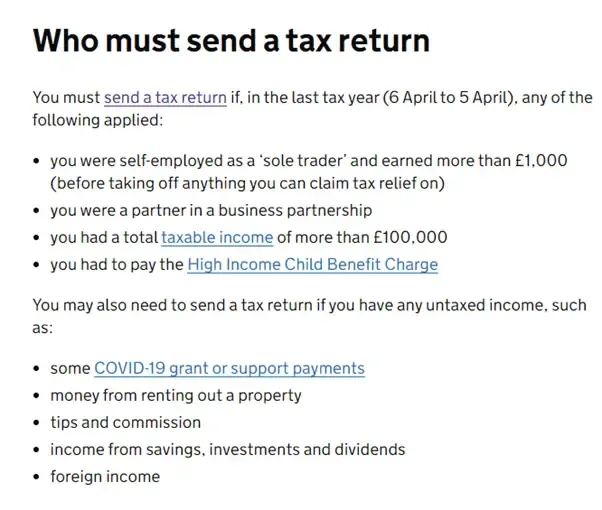
If HMRC has already requested a tax return from you, it is mandatory to comply. Reasons for needing to register for Self-Assessment include:
- Earning over £1,000 as a UK landlord from property
- Claiming Child Benefit with a combined income over £50,000 (tax return to be completed by the higher earner)
- Owning Capital Gains Tax obligations
- Receiving annual income from a trust or settlement
- Possessing untaxed income not covered by PAYE tax code
- Earning over £100,000 for the 2022 to 2023 tax year or over £150,000 for the 2023 to 2024 tax year onwards via PAYE
Further Details on Tax Return Submission
For further details on who is required to submit a tax return, refer to HMRC Self- Assessment Tax Returns.
Explore our complete guide on "Self Assessment Tax Returns". Get informed and read now for expert insights.
Accessing HMRC Online Services
To use HMRC online services, a Government Gateway account is necessary. If you have already got one, have your user ID and password ready. If not, do not worry – you will just need to create your sign-in details. It is easy to do this.
Go to HMRC online service. Scroll down the page and select ‘Sign in.’ You will see an option to ‘Create sign in details’. This process is swift, and you will be ready to proceed.
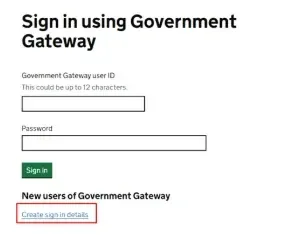
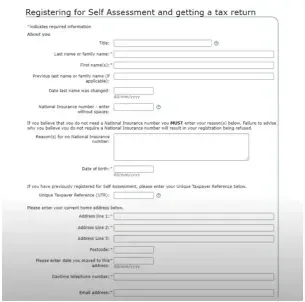
When you are ready, go to HMRC Sign in using Government Gateway. Now you will need to sign in – so just enter your user ID and password. Once you are in, you will see this form.
Submission Process and Confirmation
Once you have answered all applicable questions, proceed to the next step by selecting 'Next.' This will take you to a summary page where you should carefully review your details.
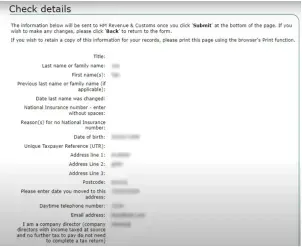
If you notice any inaccuracies, simply click 'Back' to make the necessary corrections. Once you are satisfied with the information, proceed to select 'Submit' at the bottom of the page.
Upon submission, you will receive a confirmation message. There is no need to contact HMRC unless they specifically reach out to you for additional information.
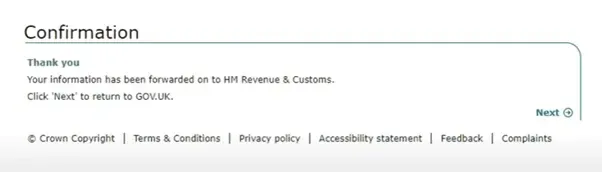
Unique Taxpayer Reference (UTR) and Safeguarding
Within 15 days (or 21 days if you are abroad), you will receive a Unique Taxpayer Reference (UTR) by post. You can find it sooner by logging into your online account or using the HMRC app. Safeguard your UTR, as it is analogous to your National Insurance Contribution (NIC) number and remains with you for life, required for all future dealings with your Self-Assessment.
Empower your tax responsibility: Read our article on "How to Register for Self Assessment being Self-Employed". Start your tax filing adventure!
Registration Deadline and Submission Reminder
Ensure that you register for Self-Assessment by October 5, allowing ample time for the process. Remember to submit your tax return and settle any owed taxes by January 31, or earlier if possible.
About the author
Sanjay Gautam, a seasoned Chartered Accountant, brings over seven years of experience in accounting, finance, and taxation. He has held notable roles at Credit Suisse, HSBC, and Fintech. His expertise in tax planning, compliance, and financial management are truly exceptional. Holds a Master's in Business Studies.
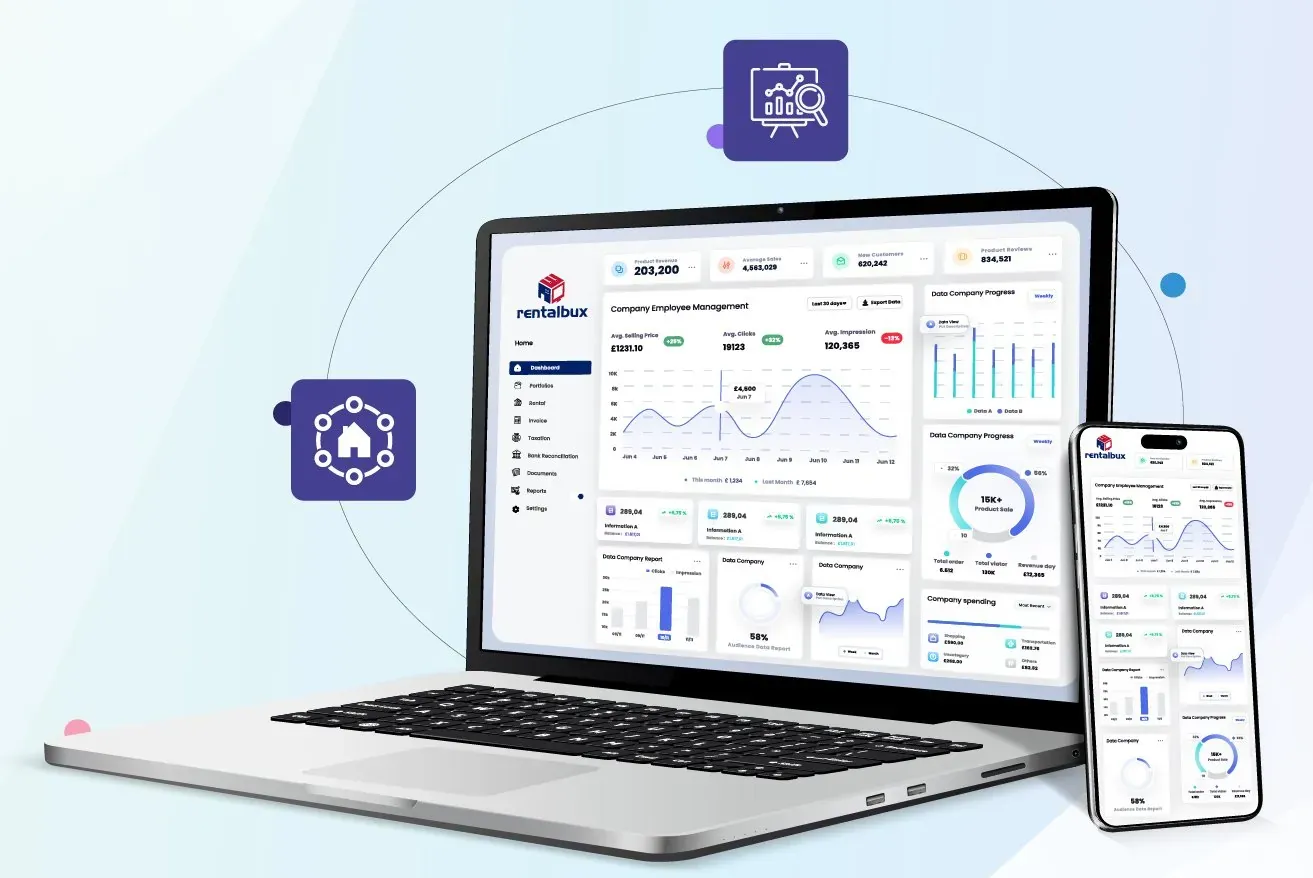
Introducing RentalBux: Our MTD Software for Landlords
Generic software doesn’t understand property businesses and requires manual intervention to meet deadlines. That’s why we developed RentalBux!
- Built by Property Experts
- Designed for UK Landlords
- HMRC Recognised and MTD Compliant
Confused Where To Start?
Schedule a Free 15-minute discovery call by providing your contact details, mentioning your requirements, and selecting a convenient date for the call.
How our discovery call works:
- Complete Our Contact Form
- Discovery Calls Scheduled
- Receive a Tailored Proposal